How to Use Smart Rules in QRflows — Complete Guide (2026)
Smart Rules let one QR code route scans by country, device, language, or time. Here's how to set them up, real examples, and when to use each rule type.
What Smart Rules do#
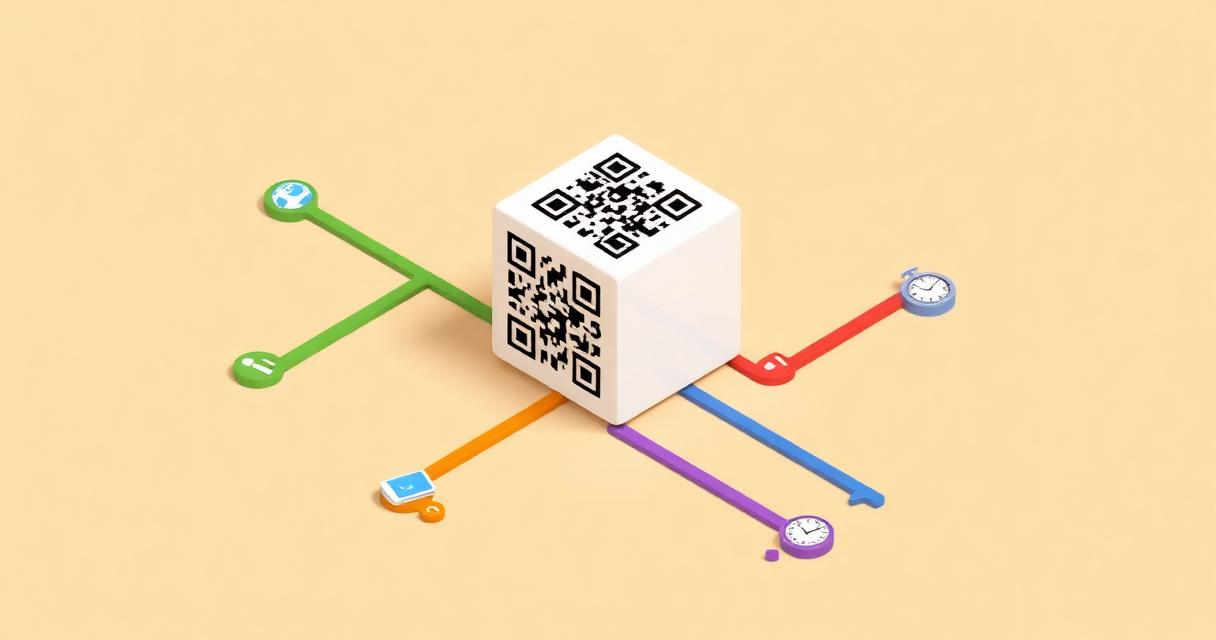
Smart Rules are a layer of conditional logic on top of a dynamic QR code. Instead of one destination for every scan, you set conditions: "if country = Germany → german-page, if device = iPhone and time = 12:00–14:00 → lunch-promo." One physical code, many behaviors.
If you want the broader explanation of what and why, see the Smart Rules feature page. This guide is the how — step by step, with real configurations you can copy.
Before you start#
- Pro plan (or active Pro trial) — Smart Rules are a Pro feature
- Destination URLs ready for every rule branch
- A clear idea of which segment you want to separate
The 5 rule types — how each one works#
1. Country routing
Setup: pick one or more countries → enter a destination URL.
Real example: product sold in UK, DE, FR. One QR on packaging → UK → /en, DE → /de, FR → /fr, everyone else → /en (fallback).
Use when: multi-market products, international campaigns, region-specific compliance pages.
2. Device routing
Setup: iOS / Android / Desktop → different destinations.
Real example: an app live on both App Store and Google Play. One QR on a flyer → iOS → App Store, Android → Google Play, Desktop → web app or landing.
Use when: mobile app promotion, device-specific promotions, desktop-only checkout flows.
3. Time-based routing
Setup: time ranges in your timezone.
Real example: restaurant. One QR on the table → 07:00–11:00 breakfast menu, 12:00–16:00 lunch, 18:00–22:00 dinner, outside hours → main menu.
Use when: restaurants, cafés, scheduled events, time-limited promos.
4. Language routing
Setup: browser language (en, de, fr, es, etc.) → destination.
Real example: international conference. One QR on the badge → en → English agenda, es → Spanish agenda, all others → English.
Use when: events with international audiences, EU businesses, multilingual brands.
5. Date routing
Setup: specific date, range, or before/after.
Real example: product launch. Before June 1 → waitlist page, June 1–30 → launch promo, after → standard product page.
Use when: launches, seasonal campaigns, time-limited offers.
Combining conditions#
You can stack conditions inside a single rule: country + device + time = one rule.
Example: iPhone + Spain + lunch hours → Spanish-language lunch promo for iOS users.
Rules are evaluated top-to-bottom — order matters. The first matching rule wins.
Fallback — required, not optional#
Fallback = the destination for scans that don't match any rule. Always set it.
Without a fallback, an unmatched scan lands nowhere. Good practice: fallback = the most universal version of your content (usually the English page or the main landing).
Per-rule analytics#
After launch, the dashboard shows how many scans hit each rule, broken down by country, device, time, and language. Use it to optimize — remove rules that never fire, add a new rule for an unexpected segment.
3 copy-paste configurations#
1 — Restaurant (time-based):
Rule 1: Time 07:00–11:30 → /breakfast-menu
Rule 2: Time 12:00–16:00 → /lunch-menu
Rule 3: Time 18:00–22:00 → /dinner-menu
Fallback: /full-menu
2 — Mobile app (device):
Rule 1: Device = iOS → apps.apple.com/your-app
Rule 2: Device = Android → play.google.com/your-app
Fallback: yourapp.com (web version)
3 — International product (country + language):
Rule 1: Country = DE → yoursite.com/de
Rule 2: Country = FR → yoursite.com/fr
Rule 3: Language = es → yoursite.com/es
Fallback: yoursite.com/en
Common mistakes#
- No fallback → unmatched scans land nowhere.
- Too many rules → ordering becomes confusing. Test each path.
- Timezone not set → time-based rules fire on UTC, not local time.
- No test before printing → use the routing simulator in the dashboard before sending to print.
Ready to set them up?#
Smart Rules live on the Pro plan. Start a free Pro trial — no card required.
Frequently asked questions#
What plan do I need for Smart Rules? Smart Rules are a Pro feature (€39/mo). The Pro trial is free for 3–10 days with no credit card required.
Can I combine multiple conditions in one rule? Yes. A single rule can stack country + device + time + language. The rule fires only when all its conditions match.
What happens if no rule matches a scan? The scan goes to the fallback URL. Always set one — without it, unmatched scans land nowhere.
Can I see which rule fired for each scan? Yes. The dashboard breaks scan analytics down per rule, so you can see which rule fired how often and from where.
Can I use Smart Rules with A/B testing at the same time? Yes. Smart Rules route the scan to a destination first; A/B testing splits traffic within that destination. The two work as layers, not as alternatives.
How many rules can I add to one QR code? There's no hard cap that matters in practice. Most well-designed campaigns use 3–6 rules. Beyond that, ordering becomes hard to reason about — split into multiple QR codes instead.
*See also:*
Related articles


Ready to try dynamic QR codes?
Start your free trial — no credit card required.
3–10 days free depending on plan.