QR Code Size Guide for Print: Minimum Sizes, Formats & Mistakes to Avoid
How big should a QR code be? Minimum sizes for business cards, flyers, posters, yard signs, and packaging — plus format and contrast rules for reliable scanning.
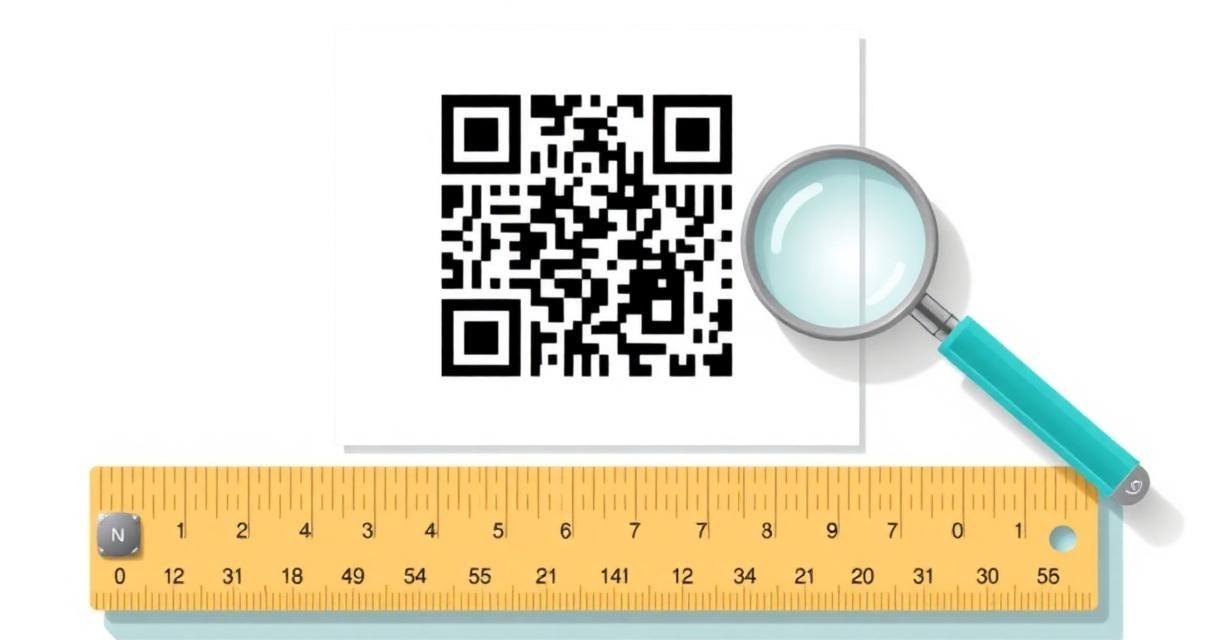
The most common reason a printed QR code fails to scan isn't the design — it's the size. Too small for the scanning distance, too compressed by the printer, or placed on a surface that warps the pattern. This guide covers the numbers that matter, by format.
The rule nobody explains clearly#
QR codes don't have one correct size. They have a correct ratio of size to scanning distance. A code that scans perfectly on a business card held at arm's length would fail on a poster viewed from across the room — and vice versa.
The general rule: QR size should be at least 1/10th of the scanning distance. If guests will scan from 1 metre away, the code needs to be at least 10cm × 10cm.
Minimum sizes by print format#
| Format | Minimum size | Scanning distance / Notes |
|---|---|---|
| Business card | 2.5 × 2.5 cm | 20–30 cm hand-held · absolute minimum, test on actual print |
| Flyer / A5 brochure | 3 × 3 cm | 30–40 cm · comfortable hand-held range |
| Menu / table tent | 4 × 4 cm | 30–50 cm · standard table height |
| Poster A3/A2 | 6 × 6 cm | 50–100 cm · test from intended reading distance |
| Outdoor signage | 10 × 10 cm | 1–2 m · larger is always safer |
| Yard sign (real estate) | 6 × 6 cm min | 1–1.5 m · test from pavement, not your desk |
| Packaging (small) | 2 × 2 cm | 15–25 cm · minimum, SVG export only |
| Billboard / vehicle wrap | 30+ × 30+ cm | 5+ m · calculate from expected scan distance |
These are minimums, not recommendations. When in doubt, go larger.
The quiet zone — as important as the size#
Every QR code needs a quiet zone: a margin of blank space around the entire pattern. Without it, scanners can't locate the finder patterns (the three corner squares) and fail to orient the code.
Minimum quiet zone: 4 modules (the smallest unit of the pattern) on all four sides. In practice: add at least 4–5mm of clear space around the QR code in your layout. Never bleed the code to the edge of a printed piece.
Format: SVG vs PNG#
SVG (vector): scales to any size without quality loss. Always use SVG for print. A QR code exported as SVG at 500×500px can be printed at 50cm × 50cm without any pixelation.
PNG: use for digital (web, email, screen). For print, use PNG only if SVG is not available — and export at a minimum of 300 DPI at the intended print size.
Never use JPG for QR codes. JPEG compression introduces artifacts at module edges, reducing contrast and scan reliability — especially at small sizes.
QRflows exports QR codes in both SVG and PNG. For any print application, use SVG.
Contrast rules that affect scanning#
What works: black on white (optimal), dark brand colour on white (navy, forest green, dark red), white on dark — if the background is dark enough.
What fails: light-coloured modules (grey, light blue, yellow) on white, semi-transparent QR over an image, kraft paper with insufficient ink coverage, glossy laminate under direct lighting.
Test rule: if you can't easily tell dark modules from light background at arm's length, a scanner can't either.
Lamination and surface effects#
Glossy lamination causes glare that reduces effective contrast. If you're laminating materials with QR codes — menus, table tents, outdoor signs — use matte lamination. UV coating has the same problem.
Curved surfaces (bottles, tubes, cups) distort the QR pattern. A mild curve is usually fine. Sharp curves require larger codes and should be tested on the actual product.
Error correction and logo size#
QR codes have four error correction levels (L, M, Q, H). Higher levels create denser patterns but recover from more damage or obstruction.
- Adding a logo: use error correction H. It allows up to 30% of the pattern to be covered. Keep the logo under 25% of the total QR area.
- No logo: M (15% recovery) is standard. L produces the simplest pattern — use it for very small formats where the logo isn't needed.
The test print step you must not skip#
Print a test copy at the actual intended size before the full run. Test on iOS (native camera) and Android (Google Lens or camera), from the intended scanning distance, in the actual lighting environment, on the actual material if possible.
Minimum size for dynamic vs static QR codes#
Dynamic QR codes encode a short redirect URL (e.g. qrflows.app/r/abc123). This produces a simpler, less dense pattern than a static QR encoding a long destination URL.
Practical consequence: dynamic QR codes are more reliable at small sizes. For business cards and packaging — formats where size is severely constrained — dynamic QR codes give you more margin for reliable scanning.
Quick reference — what to do#
- Check the scanning distance — that determines your minimum size
- Export as SVG from QRflows for any print application
- Add 4–5mm quiet zone in your layout around the code
- Use matte lamination if the material will be coated
- Print a test copy at actual size before the full run
- Test on two devices (iOS + Android) from the intended distance
Frequently asked questions#
What is the minimum size for a QR code? 2.5cm × 2.5cm is the absolute minimum for a code scanned from hand-held distance (20–30cm). For any greater scanning distance, increase proportionally — at minimum 1/10th of the scanning distance.
What format should I use for printing a QR code? SVG for all print applications. SVG is a vector format that scales without quality loss. PNG is acceptable only at 300 DPI or higher at the intended print size. Never use JPG for QR codes.
Why does my QR code fail to scan when printed? The most common causes: too small for the scanning distance, insufficient contrast, missing quiet zone, or JPG compression artifacts. Test on actual print at actual size before the full run.
Does lamination affect QR code scanning? Glossy lamination can cause glare that reduces contrast. Use matte lamination for materials with QR codes. Test a laminated sample before committing to a full print run.
Are dynamic QR codes easier to scan at small sizes? Yes. Dynamic QR codes encode a short redirect URL, producing a simpler, less dense pattern than a static code encoding a long URL. At very small sizes, dynamic QR codes give you better scan reliability.
How much quiet zone does a QR code need? At least 4 modules of blank space on all four sides — typically 4–5mm in print layouts. Never overlap the quiet zone with text or imagery.
*See also:*
Related articles

Ready to try dynamic QR codes?
Start your free trial — no credit card required.
3–10 days free depending on plan.