QR Codes for Business Cards: What Works and What Doesn't
Adding a QR code to a business card — what it should link to, where to place it on the card, static vs dynamic, and the contact card vs vCard choice.
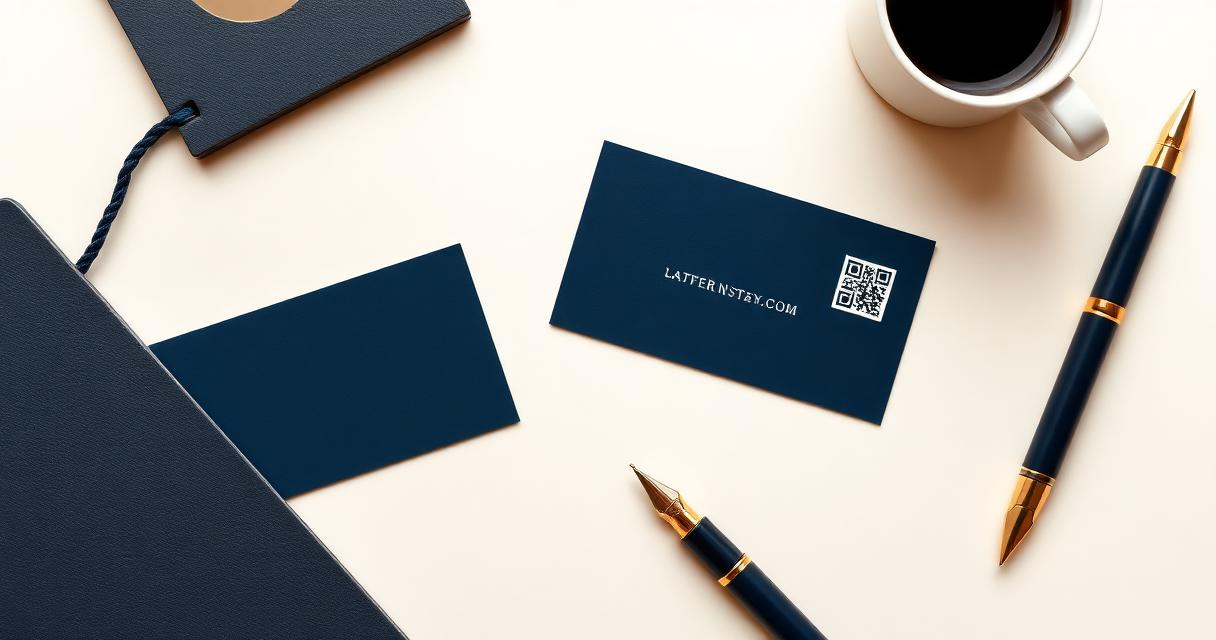
A QR code on a business card is one of the most common QR use cases — and one of the most frequently done wrong. The code is too small. It links to the homepage. It's a static QR encoding a 100-character URL that creates a pattern so dense it fails to scan at business card size.
Is a QR code on a business card a good idea?#
The short answer: yes — if the destination adds value. No — if it links to something the person already knows.
When it works well
- Links to a vCard so they save your contact in one tap — no typing required
- Links to a contact page with photo, WhatsApp, LinkedIn — useful when personal brand matters
- Links to a portfolio or case studies — useful for creative professionals and consultants
- Replaces a long URL that would be impossible to type from a printed card
When it doesn't work
- Links to the company homepage — the person holding your card already knows your company
- The QR is under 2cm — fails to scan reliably at hand-held distance
- Printed over a coloured or textured background — kills contrast and scan reliability
- No label next to the QR — people don't know whether to scan it or ignore it
The real question isn't whether QR codes on business cards are good or bad — it's whether yours links to something worth scanning.
What the QR should open — the choice that matters most#
There are three real options:
1. vCard (contact card) — the QR encodes name, phone, email, company, and title directly. When scanned, the phone opens the native "Add to Contact" screen. One tap, the contact is saved. No internet required.
*Best for:* anyone whose details rarely change and who wants the simplest possible contact exchange. Sales reps, freelancers, anyone at a conference.
2. Hosted contact page — the QR links to a mobile-optimised page with photo, contact buttons (call, email, WhatsApp, LinkedIn), and a "Save contact" button. More engaging than a vCard, but requires internet to load.
*Best for:* consultants, agents, speakers, anyone where personal brand matters. The page can be updated without reprinting the card.
3. LinkedIn profile or portfolio — the QR links directly to a LinkedIn profile, personal website, or portfolio. Useful when the goal is professional connection rather than contact saving.
*Best for:* job seekers, creative professionals, anyone where the portfolio says more than a vCard.
What doesn't work: linking to the company homepage. The person scanning your card already knows what company you work for — they just read the front. The QR destination should add information, not repeat it.
Static vs dynamic on a business card#
Static vCard QR: contact data is encoded directly into the pattern. No internet required — the phone reads the data and opens the contacts app. Works forever, no subscription needed.
*Use static when:* your name, phone, and email will not change and you want the simplest possible flow.
[Dynamic QR](/dynamic-qr-codes): encodes a short redirect URL. The destination can be updated without reprinting the card. Analytics track how many people scanned.
*Use dynamic when:* you might change your phone number, email, or role. You want to update the contact page without ordering new cards. You want to know how many people actually scanned.
The practical case for dynamic: business cards are often printed in batches of 250 or 500. If your job title changes after printing, a dynamic QR lets you update the card's digital destination without reprinting.
Placement on the card#
- Back of the card, bottom corner — the most common and most effective placement. The back is blank real estate; the QR sits cleanly without competing with other information.
- Back of the card, centred — works for minimalist card designs where the QR is the primary element on the back.
- Front of the card, one corner — possible but creates visual competition. Use only if the front has enough white space.
- Never print the QR over a coloured or textured background on the front of the card. Dark or patterned backgrounds kill contrast and scan reliability.
Size requirements for business card QR codes#
A business card QR is scanned from hand-held distance — 20 to 30cm. The minimum reliable size is 2.5cm × 2.5cm.
At this size, the pattern must be clean. Use SVG export, not PNG. If the URL being encoded is long, the pattern becomes denser and less reliable at small sizes. This is one of the strongest arguments for dynamic QR on business cards — the short redirect URL produces a simpler pattern that scans more reliably at 2.5cm.
Add 3–4mm of white quiet zone around the QR in your card layout. Never overlap the code with text or bleed to the card edge.
The contact card page — what it adds over a plain vCard#
A hosted contact card page does things a plain vCard can't:
- Profile photo — puts a face to the name, valuable at conferences
- Action buttons — one tap to call, WhatsApp, LinkedIn — no typing required
- Always current — change phone number or title in the dashboard; every printed card automatically shows the new details
- [Analytics](/qr-code-analytics) — know how many times your card QR has been scanned
The tradeoff: it requires internet to load, and it requires an active QRflows account.
What real networking looks like#
- At a conference: if it's a vCard, the contacts app opens and they save you in 2 seconds. If it's a contact page, they see your photo and LinkedIn — helpful if they forget which "Sarah from the fintech panel" you are.
- At a trade show: a contact page with a WhatsApp button is often more useful than a vCard.
- At a client meeting: a vCard is cleaner and faster. The client wants your number; they don't need your LinkedIn.
The destination should match the context. If you attend different types of events, consider having two card variants — or a dynamic QR you can switch between destinations on the dashboard.
Common mistakes#
- QR too small. At under 2cm, business card QR codes frequently fail on the first scan attempt.
- Linking to the homepage. The person holding your card already knows your company.
- Static QR encoding a long URL. Long URLs create dense patterns that are unreliable at small sizes.
- No quiet zone. The quiet zone is functional — without it, the code fails.
- Testing on screen, not on print. A QR that scans perfectly on your laptop screen may fail at 2.5cm print size.
Frequently asked questions#
What should a business card QR code link to? A vCard (to save contact details), a hosted contact card page with photo and action buttons, or a LinkedIn/portfolio. Not the company homepage — that adds no information to someone holding your card.
What's the minimum QR code size for a business card? 2.5cm × 2.5cm is the minimum for reliable scanning at hand-held distance. Use SVG export for the cleanest pattern at this size.
Should I use a static or dynamic QR on my business card? Dynamic is more flexible — you can update the destination if your details change, without reprinting. Static is simpler and works offline for plain vCard encoding. If you're printing a large batch or your details might change, use dynamic.
What's the difference between a vCard QR and a contact card page? A vCard QR encodes contact data directly — works offline, opens the native contacts app, no subscription needed. A contact card page is a hosted mobile web page with photo, action buttons, and updatable content — requires internet and an active account, but adds personal branding and analytics.
Can I track how many people scanned my business card? Yes, with a dynamic QR code. QRflows tracks scan count, time of day, and device type for every dynamic QR — including business card codes.
Can I use the same QR code on a digital business card? Yes. A dynamic QR works on digital cards too (email signature, Apple Wallet, PDF). Update the destination in the dashboard; both the printed and digital version automatically redirect to the new page.
*See also:*
Related articles

Ready to try dynamic QR codes?
Start your free trial — no credit card required.
3–10 days free depending on plan.